Join your firm and find your work
Open the staff invitation sent by your firm. Sign in with the invited email address and select Join. If it has expired, ask a manager or owner to renew it.
Complete two-step sign-in when required. Check that the correct funeral home is selected before opening a case.
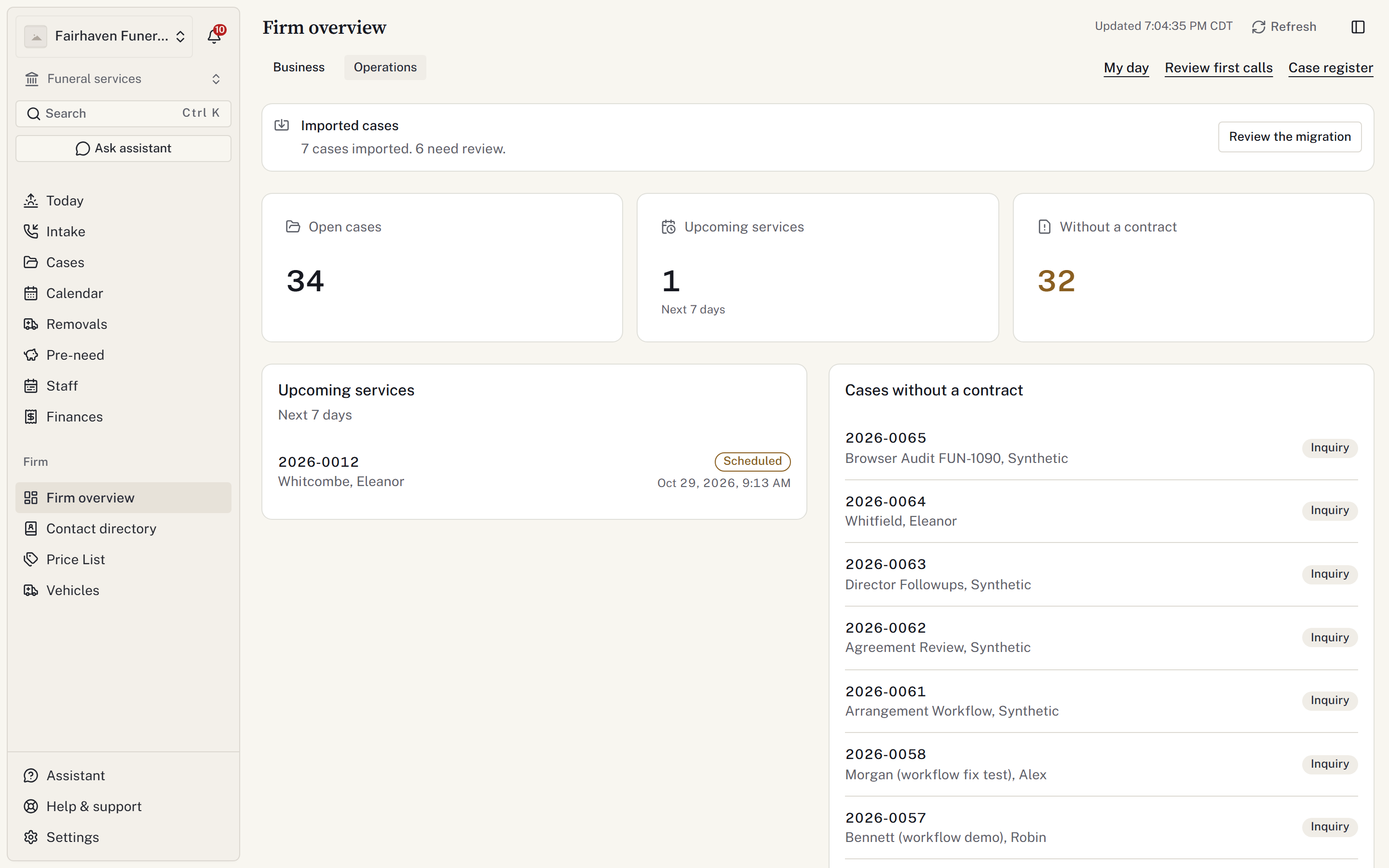
Where to start
- Firm overview, under Firm, summarises the firm. Choose Operations for casework; staff with financial access can also use Business.
- Today shows services and work needing attention.
- Cases is the register. Search here for a case, or select New case.
- Intake → First calls holds calls received from intake feeds that need review.
- Staff opens Roster, with On-call, Time off, Time clock, People and Licences available as views.
- Finances opens the first view you can access: Receivables, Cash & banking or Reports.
- Calendar shows scheduled occasions.
- Contact directory holds reusable people and organisations.
Within a case, use the section navigation to reach contacts, care, documents and other records. The sections you see depend on your access.
Press Ctrl+K on Windows or ⌘K on a Mac to open the command menu.
Your first task
Use Take a first call to open a case, or Record an arrangement to continue one.
If you cannot see a case or action, check Account and access problems. Financial work requires additional access.
Open Help centre from the workspace menu to return to these guides. Use the return control to get back to your workspace.