Find a case or document
Start in Cases when you want to narrow the register. Use the command menu when you want to jump to a record or another screen.
Search the register
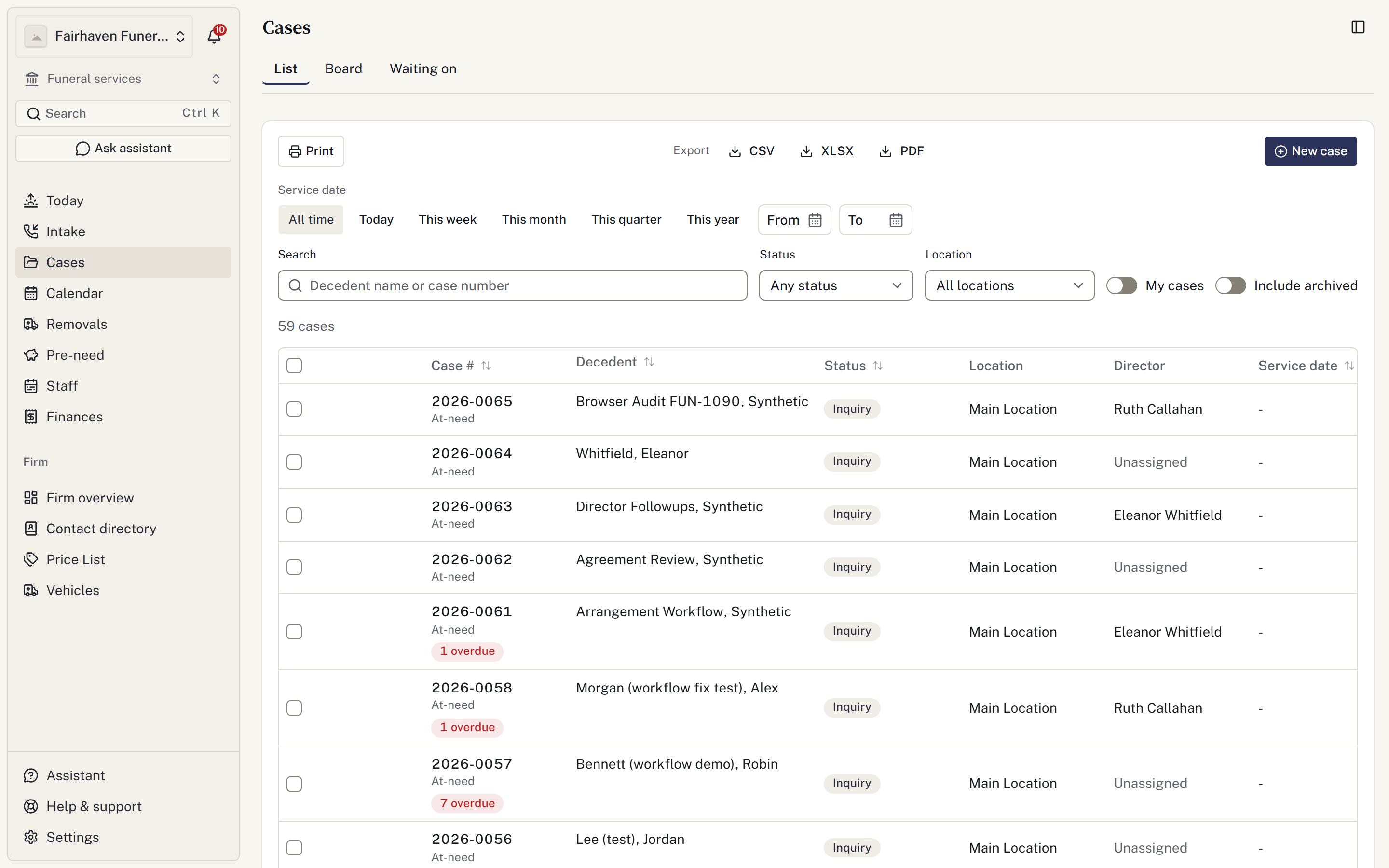
- Open Cases and enter the name or case number in Search.
- Check the status, location and date filters. They apply together.
- Turn on Include archived if the case has been closed.
- Open the matching case.
If nothing appears, clear the filters and try the surname or case number again. Search behaviour can differ between the register and command menu; do not assume a word in a note is searchable everywhere.

Use the command menu
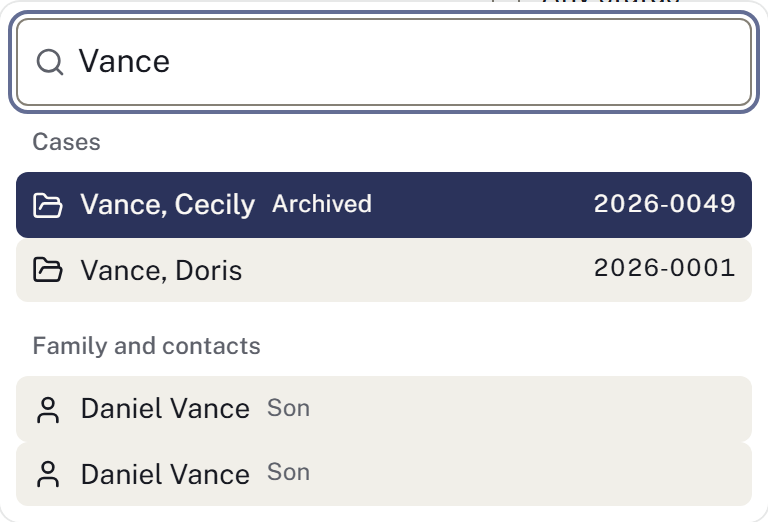
Press Ctrl+K on Windows or ⌘K on a Mac. Start typing a case, contact, document or directory name, then choose a result. With no search entered, recent cases are offered.
A record is still missing
Confirm you are in the correct funeral home. Location restrictions can hide cases handled elsewhere, and financial access affects which documents you can open.
Ask an owner to check your access rather than opening a second case. See Missing cases or actions.