Schedule a service
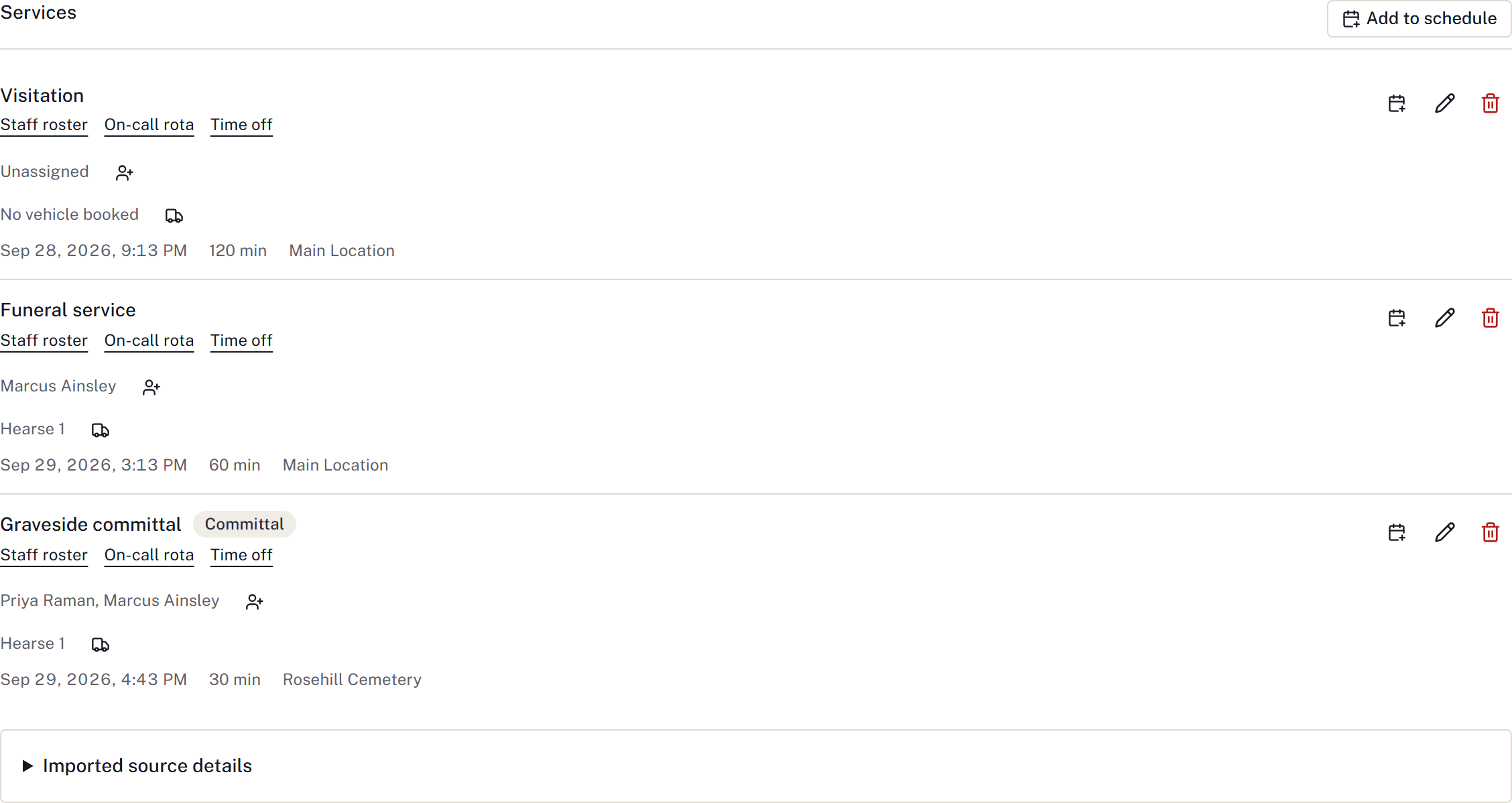
Each visitation, funeral service or committal has its own booking.
Add a booking
- Open Services → Add to schedule, or Calendar → New booking and select the case.
- Choose Type, event name, Starts, Length in minutes and Where.
- Add the staff and vehicle, review overlap warnings, and save.
- Check the booking on the case and Calendar, including its status. A provisional booking is a plan, not confirmation that clearance and staffing are ready.
Confirm and publish
The firm administrator must confirm the Confirmation policy, eligible staff and events requiring clearance. In Service confirmation, review the saved details, current financial clearance and any resource conflicts. Authorised staff select Confirm service, then Publish service when those details are intended for public display.
Publication requires current confirmation. A record marked Booked before confirmation policy does not establish that today's confirmation checks were met. If confirmation needs review, follow its reasons and check the current plan again.
Reschedule or cancel
Use Change arrangement for a change to the service, identity, disposition or agreement details. Review affected work before Save change, then work through Arrangement change reviews. Record completed corrections, a reviewed no-change outcome or a named follow-up. Saving the change does not contact recipients or alter supplier orders.
Use Cancel service where applicable and review its consequences for bookings. Separately review sent notices, supplier orders and public information. Follow Handle changed arrangements to record notices and acknowledgement.
Subscribe on another device
- Open Calendar → Subscribe.
- Name the device.
- Choose time/type/venue only or include the case name.
- Select Create subscription and copy the address.
- Add that address as a calendar subscription in your calendar app.
The address is shown once. Anyone holding it can read the subscribed diary, so protect it. Use Withdraw to stop an old subscription and create a new one if the address is lost.
Calendar apps refresh on their own schedule. Check the live app for a recent change; use Add to my calendar for a single booking when appropriate.