Record an insurance assignment
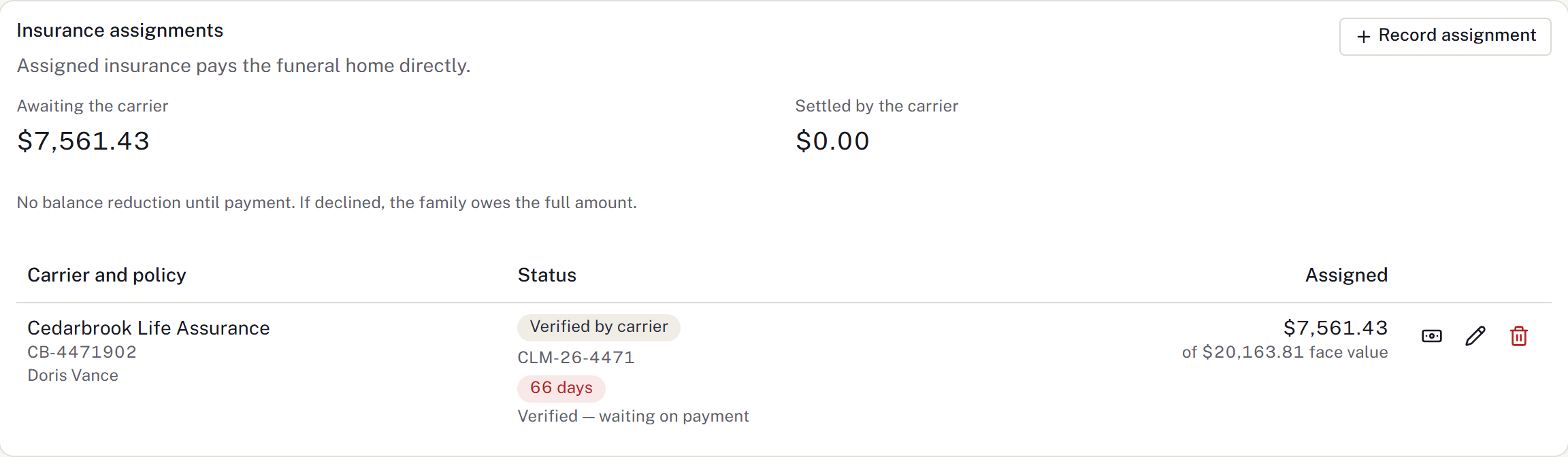
An assignment records expected insurance funding. It does not count as money collected or submit a claim to the carrier.
Add the assignment
- Open Insurance assignments on the case.
- Select Record assignment.
- Enter the carrier, policy number, insured name and amount assigned.
- Add the face amount, claim number, status and notes when known.
- Save and check the entry.
Use a directory carrier where available. Keep the amount assigned separate from the policy's full face value.
Record settlement
- When money arrives, select Record the carrier’s payment on the assignment.
- Enter Amount received and the payment details.
- Select Record the payment.
- Check the assignment and the case ledger.
This creates the settlement payment. Do not add another manual payment for the same receipt.
Correct or follow up
Edit the assignment to update an outstanding claim's status or reference. Use a checklist item or wait for the follow-up.
A settled assignment's status is fixed in its edit control. If the settlement was recorded incorrectly, correct the linked ledger payment through the payment correction process.
An unpaid assignment remains separate from collected money.
Obtain the firm's funding approval
Use Funding approval and financial clearance when the firm requires approval before proceeding. Assignment status, required signatures, approval and money received are separate records. Recheck clearance after a settlement or correction.