Record a cash advance
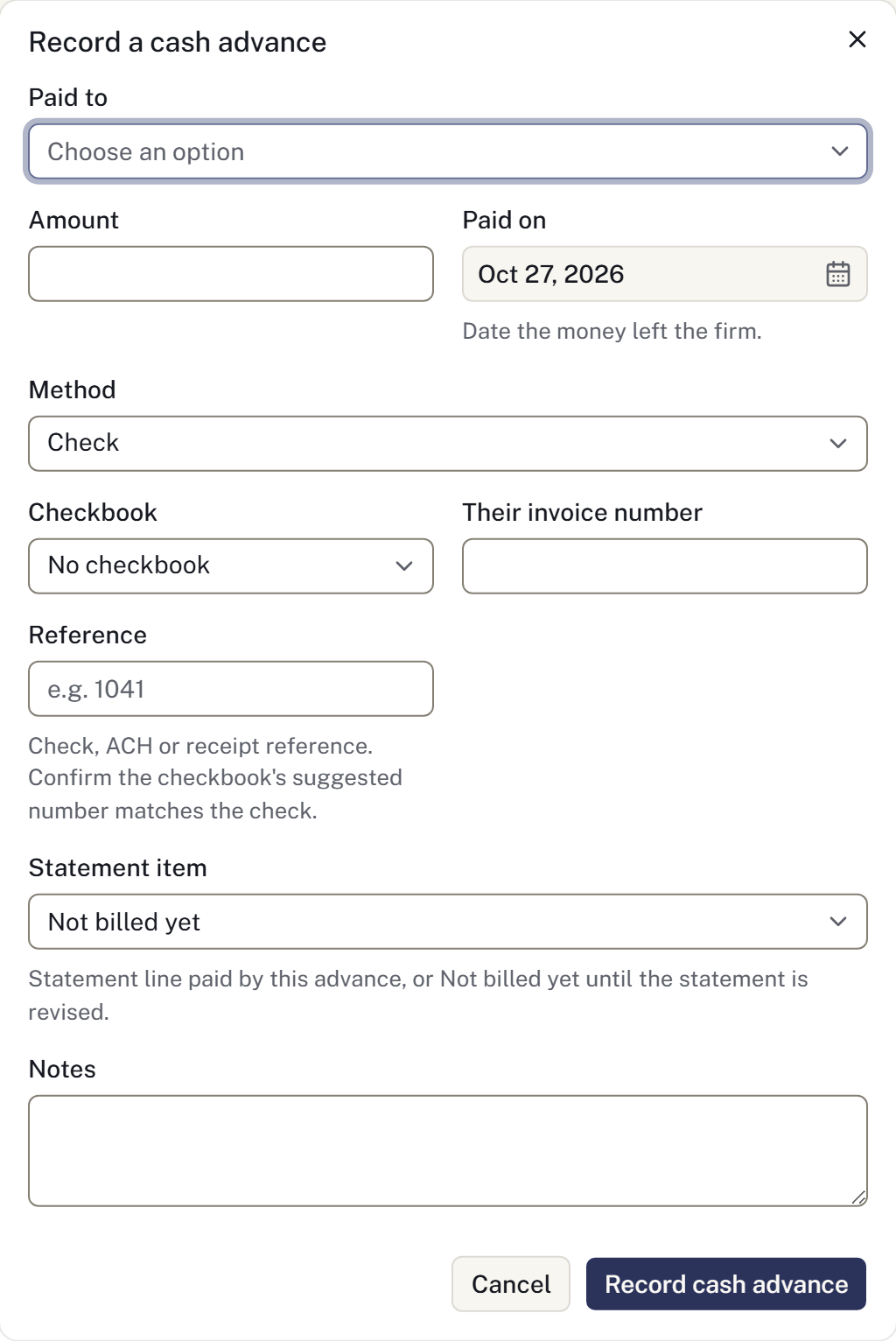
Use Cash advances for money the firm pays to another person or organisation on the family's behalf. This is separate from payments received from the family.
Record an expense
- Add the payee to the Directory if they are not already listed.
- Open the case's Cash advances and select Record cash advance.
- Choose Paid to, enter Amount and Paid on, and select the Method.
- For a check, choose the appropriate Checkbook. Review the reference or assigned check number.
- In Discharges, select the statement line the expense relates to when available.
- Add any notes, then select Record cash advance.
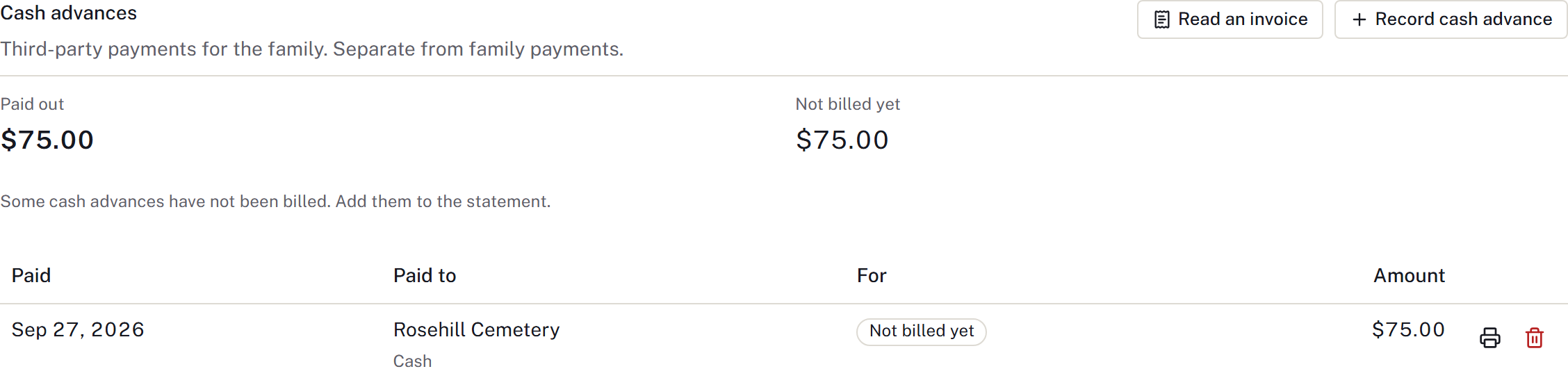
Check the new entry. An expense not linked to a billed line may appear as Not billed yet. Add the appropriate cash-advance line to the statement so the family's charge is recorded.
Recording the expense does not send a bank transfer.
Print a check
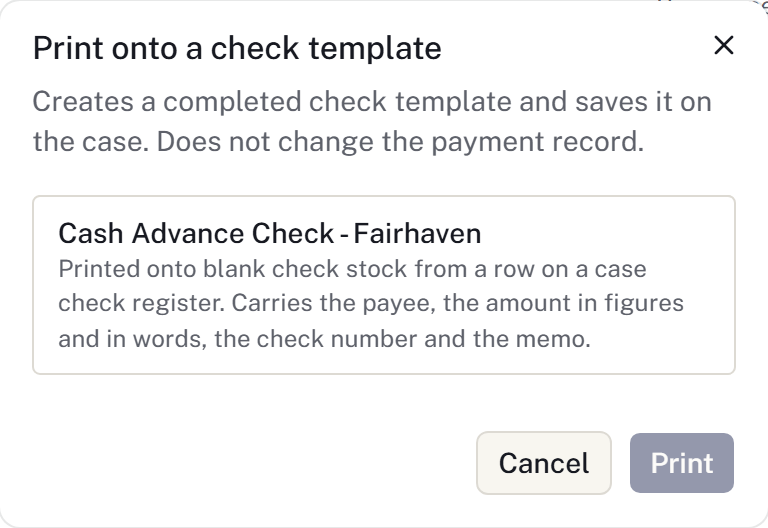
Use the print action on the check entry and choose the firm's check template. Check the payee, amount, date and alignment against the intended stock before printing.
A checkbook supplies its own sequence. A voided number is not returned to that sequence. Set up the account and test its template under Checkbooks.
Correct an expense
Select Void cash advance, confirm, then record a replacement with the correct details. Do not use a family refund to correct supplier spending.
A voided entry stays on the record. Voiding it in the app does not instruct the bank to stop an issued check; arrange any bank action separately.