Set up the price list
Managers and owners maintain Price List. Check it against the firm's approved prices before using it to prepare statements.
Add an item
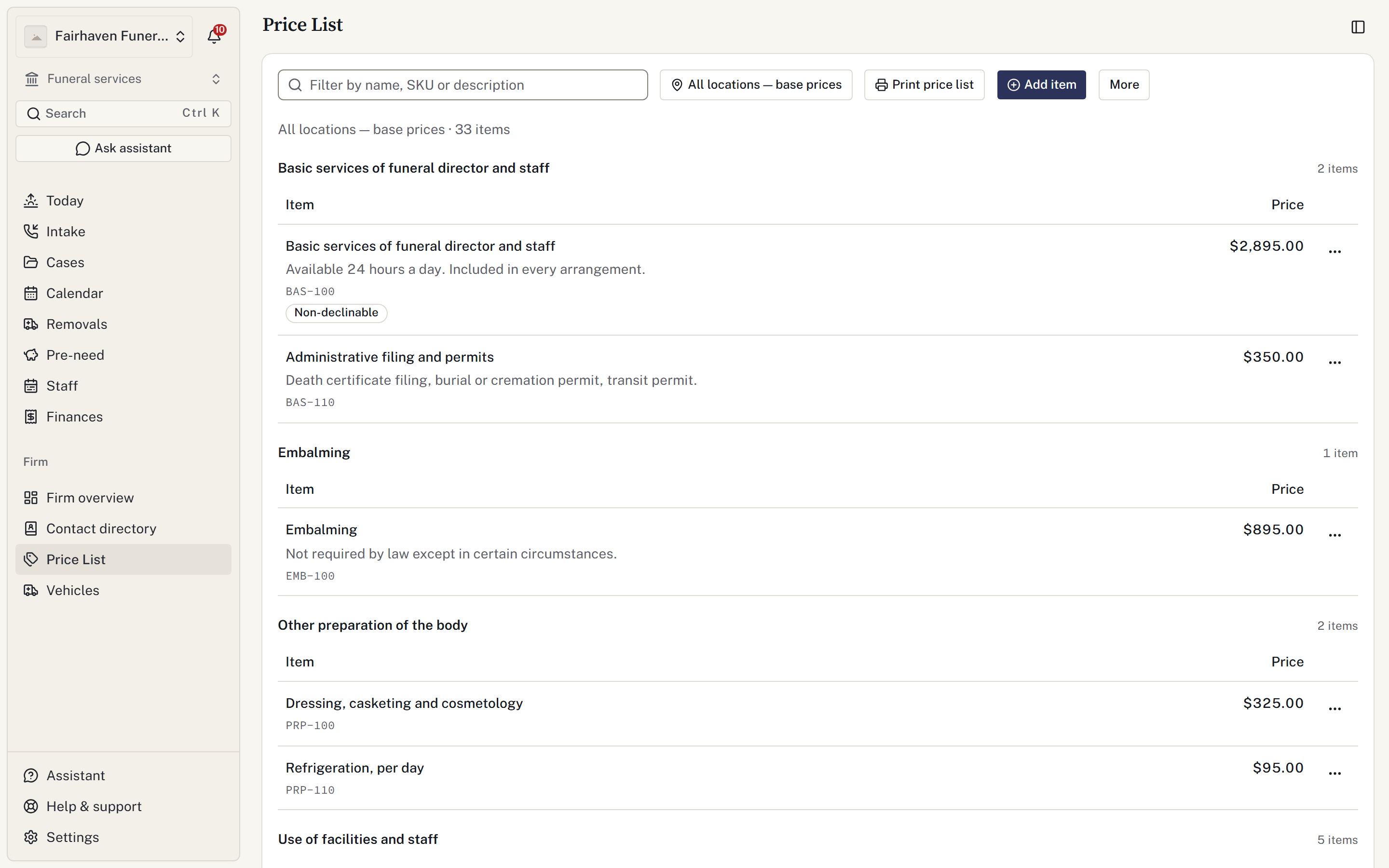
- Open Price List and select Add item.
- Enter Name, Category, Price and any description the family should see.
- Add an optional SKU and display Order.
- Check Applies to and the attributes: currently offered, family may decline, cash advance and taxable.
- Select Add item.
Location scope cannot be changed later on the same item. Check it before saving.
Import a list
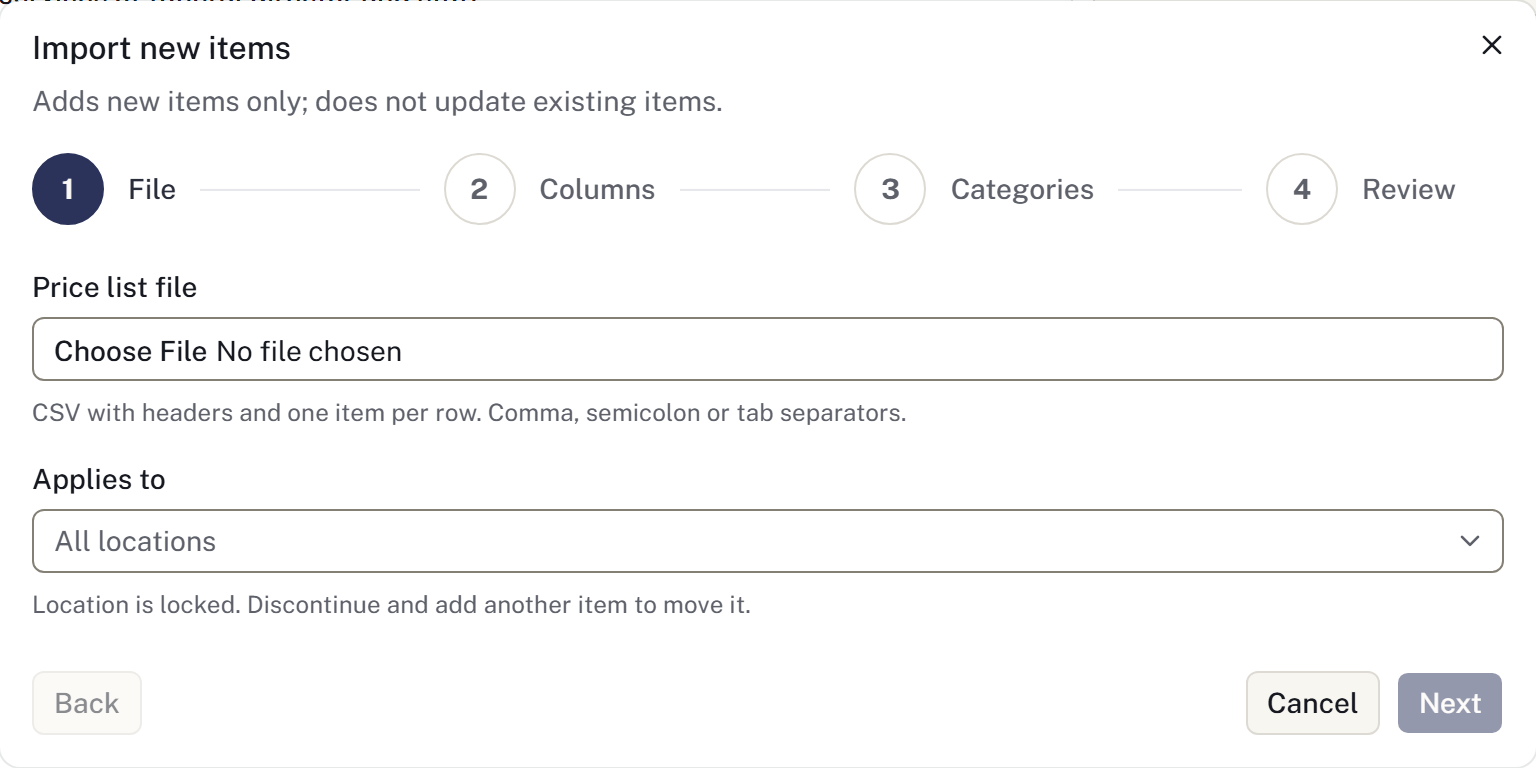
Open More options → Import new items and follow its file and column requirements. This adds new items; use Edit to change existing ones. Preview the mapping and correct rejected rows before completing the import. See Import and export records.
Review imported names, prices, categories and attributes against the source list. Do not assume a successful import means the prices are correct.
Set location prices or a package
Use Prices by location on an item to enter overrides. A location without an override uses the list price. Use list price clears an override.
For a package, open What's in this package, add its component items and arrange them in the intended order. Check the itemised result on a draft statement.
Use Add a photograph to show merchandise in the showroom. Photographs must be JPEG, PNG, WebP or AVIF and no larger than 5 MB.
Change prices and tax
Use Edit and Save changes to update an item. Existing statement lines retain their recorded prices. Turn off Currently offered for an item no longer sold.
In Sales tax, use Add a rate to record the applicable jurisdiction, percentage, location/category scope and effective date. Review the firm's tax treatment with its adviser. A missing rate can result in an untaxed statement carrying a notice.
Before using a revised list, produce and check a sample statement and any published price page. The help centre describes the software controls; the firm remains responsible for its approved disclosure wording and prices.
Record which copy the family received
Changing the catalogue does not rewrite earlier case copies. In the case's Service & merchandise → Price lists, prepare and open a retained edition, then record delivery of that exact copy to the actual recipient. Arrangement guidance explains corrections and the distinction between preparing and delivering.